
ONLINE BOOKING GUIDE
Book Online in
a Few Easy Steps
Follow this simple visual guide to complete your booking. It only takes a few minutes, and you will receive a confirmation after submitting your request.
View the Steps ↓BEFORE YOU START
Have These Details Ready
Preparing this information in advance will make your booking faster and more accurate.
Trip Information
Pickup date, time, pickup location, and destination.
Flight Details
Have your airline and flight number ready.
Contact Details
Passenger name, mobile number, and active email address.
STEP BY STEP
How to Book Your Ride Online
Follow the steps below to book your ride, manage your reservation, receive driver updates, and review your payment options.
CHOOSE A SERVICE
Select the Service You Need
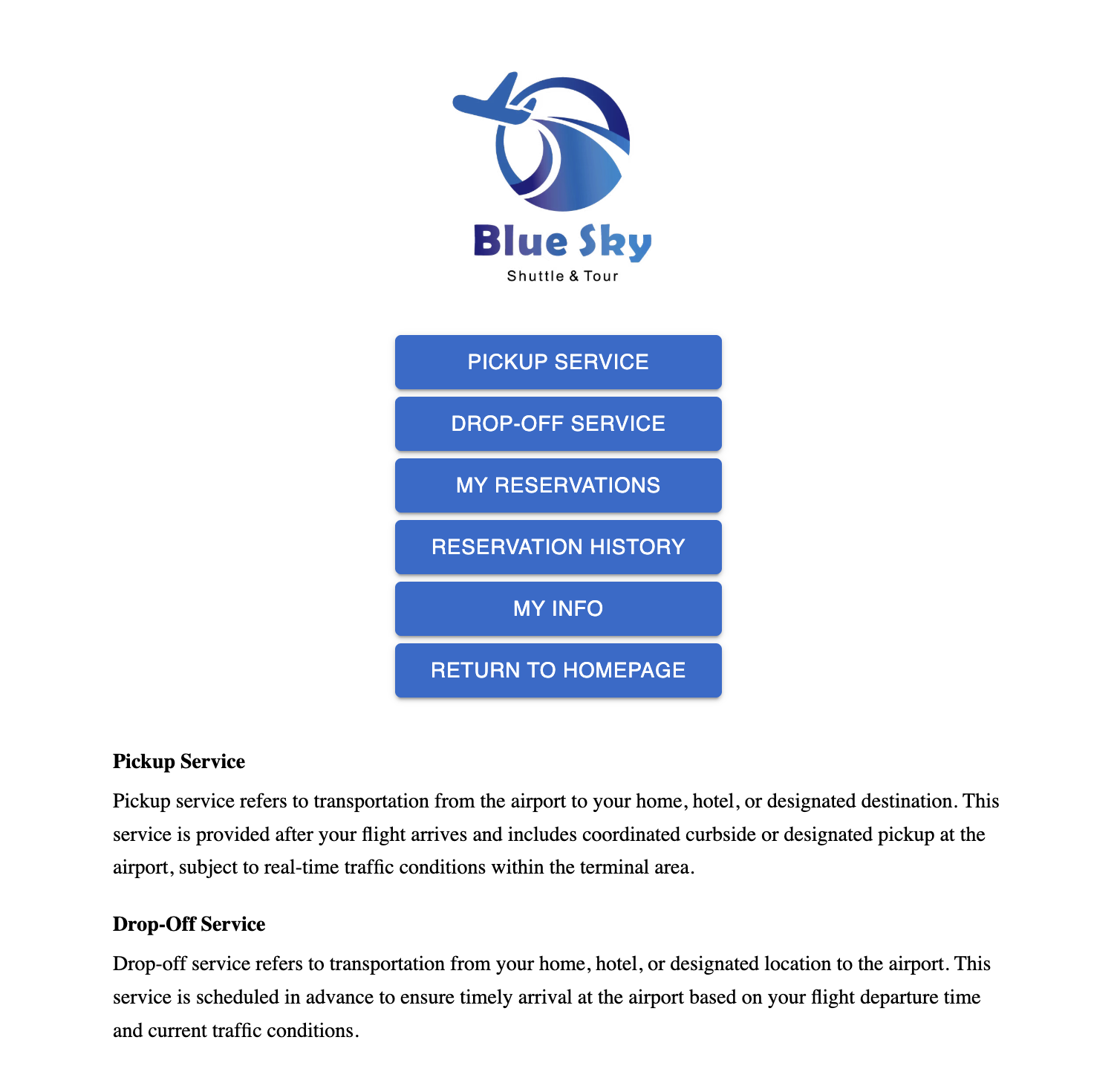
Choose PICKUP SERVICE for transportation from the airport to your home, hotel, or destination. Choose DROP-OFF SERVICE for transportation from your pickup location to the airport.
ENTER YOUR TRIP DETAILS
Add Your Contact and Trip Details
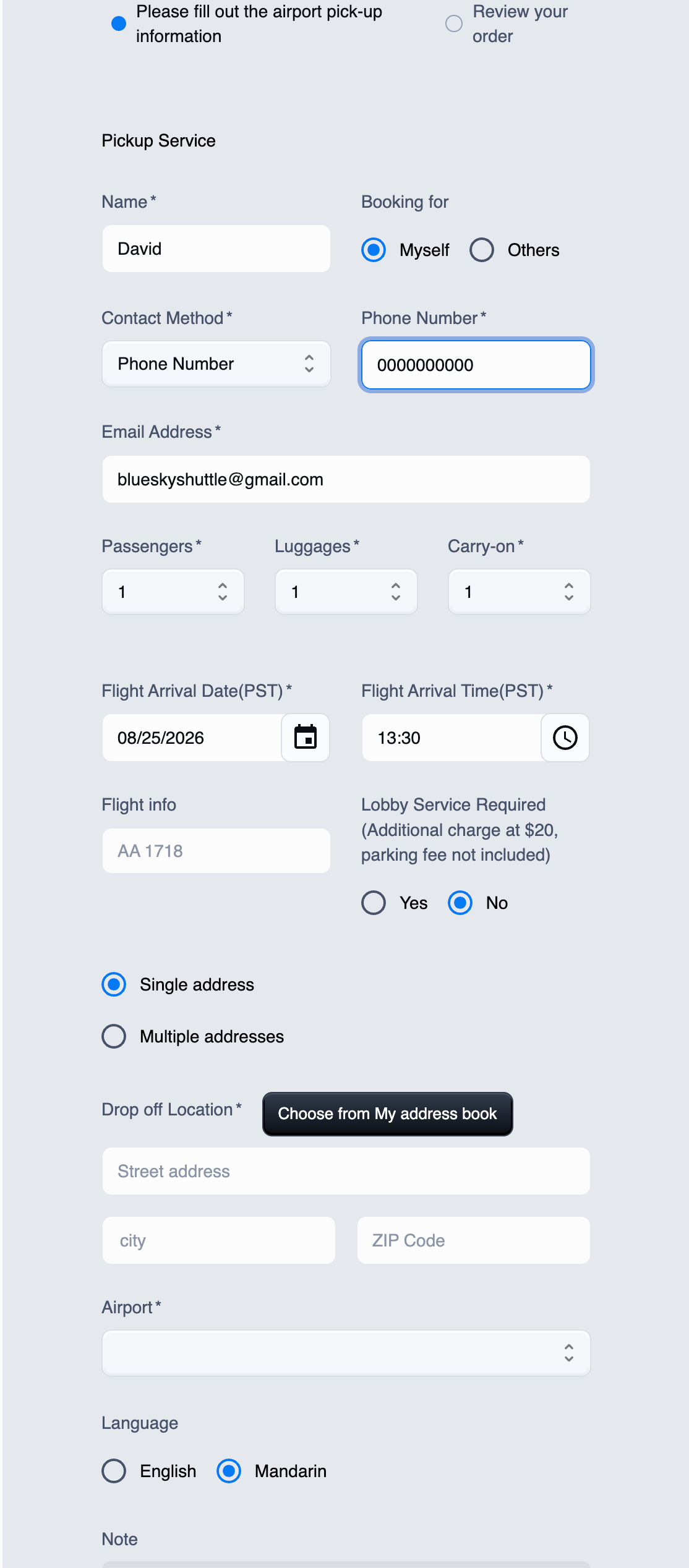
Add your contact information and choose your preferred contact method: phone, WeChat ID, or LINE ID. A phone number is required so our driver always has at least one reliable way to reach you. Then enter your pickup date, pickup time, pickup location, and destination or Airport name based on your trip type. Also provide your flight information so we can monitor your flight. Please select the correct number of passengers, checked luggage, and carry-on bags traveling with you. Accurate information helps us assign a vehicle with enough space for everyone and their belongings.
For pickup (Arrivals): The driver will greet you with a signage, assist with luggage inside the arrival lobby at the baggage claim area for domestic flights or at coffee shop for international arrivals. $20 Service fee will be added to the fare.
Airport parking fee is extra and payable to the driver.
SAVE YOUR ADDRESSES
Manage Your Address Book
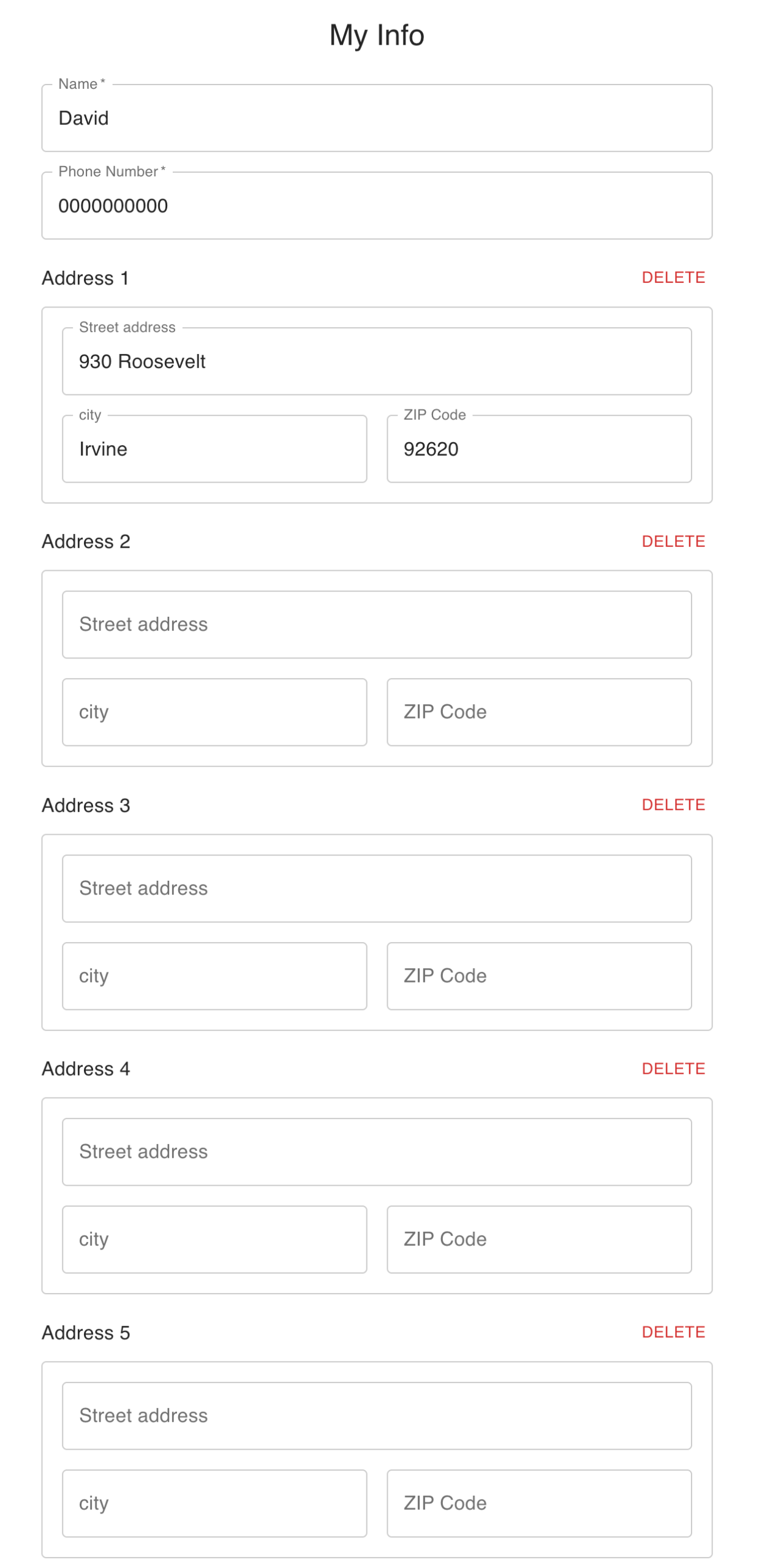
Use the MY INFO button on the service menu to save and manage up to five addresses. When booking, click CHOOSE FROM MY ADDRESS BOOK to import a saved address instantly—no need to enter the same information manually each time. It is fast, simple, and convenient.
REVIEW & SUBMIT
Review the Price and Submit
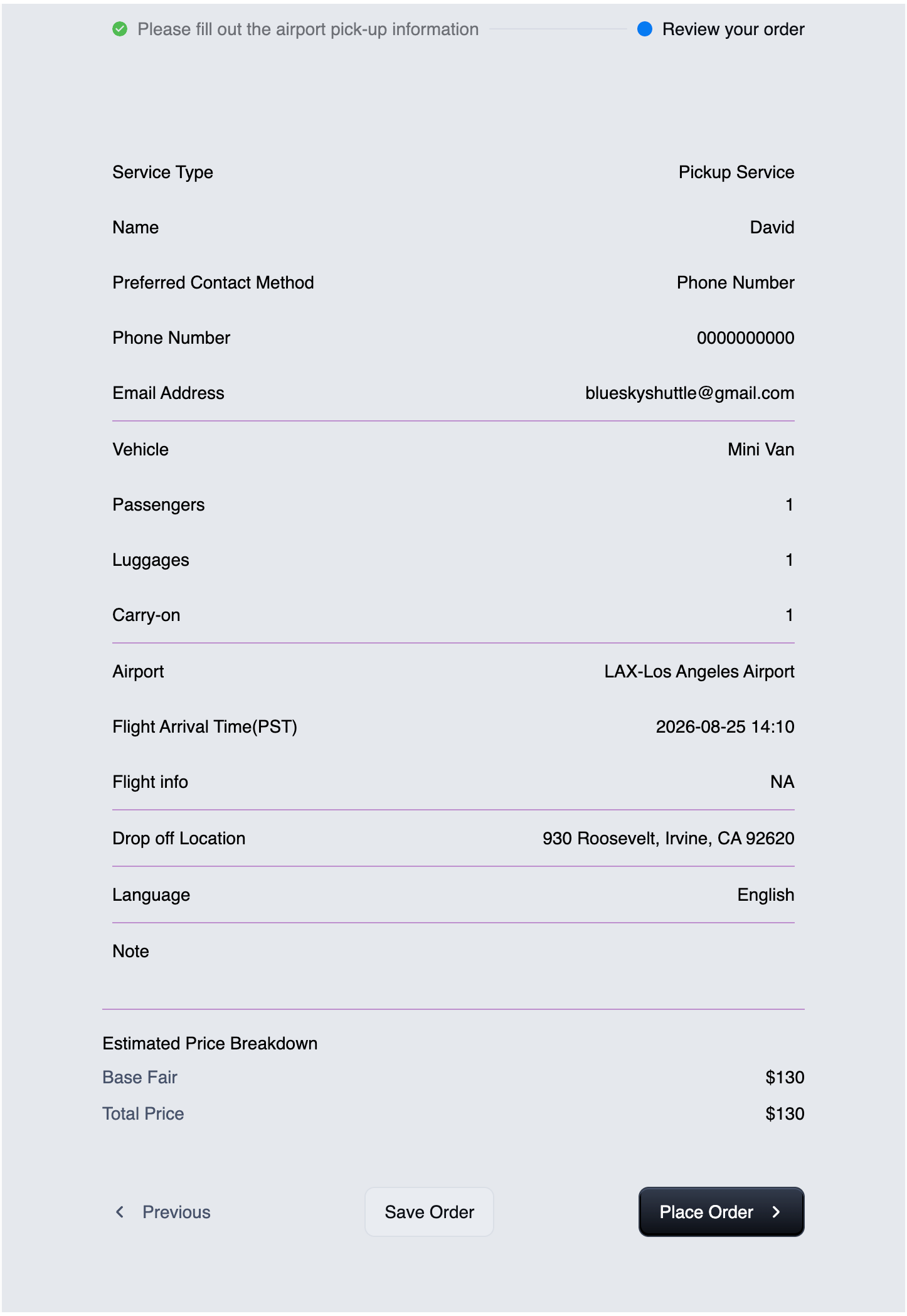
Before placing your order, review all trip and passenger details and check the Estimated Price Breakdown. Your Total Price may include different charges based on the service time, number of passengers, and any additional stops you add. When everything is correct, click Place Order to submit your booking. Once your booking is successfully submitted, a Booking Number will be sent to the email address provided with your reservation. Please keep this number in a safe and accessible place, as it serves as the primary reference number for your trip. Our team uses it to quickly locate your reservation, review trip details, track updates, identify your assigned driver, and assist with any questions or changes related to your booking. When contacting us about your trip, please have your Booking Number ready so we can assist you quickly and efficiently.
TRIP CONFIRMATION
Confirm Your Trip From My Reservations Page
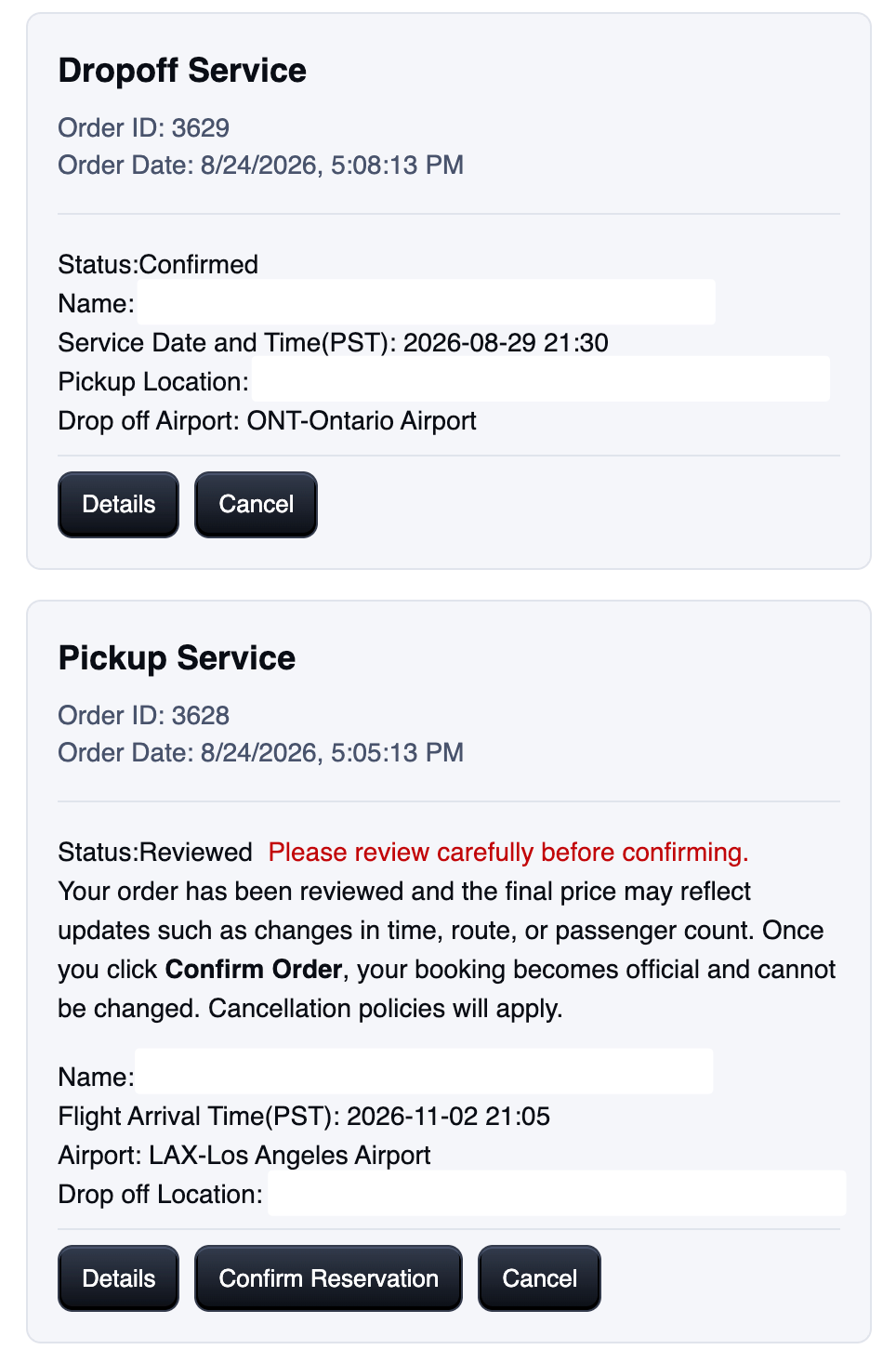
Use the MY RESERVATIONS button on the service menu to review and manage your upcoming trips, you can update trip info or cancel your reservation at anytime before the review from our office is made. click "Confirm Reservations" to confirm your future trip, you may also review your trip details by tapping the Details button. You need to contact us for any further change to your trip once you confimed the resercation. Cancellations made within 3 hours before the scheduled trip might be subject to a full charge of the booking.
DRIVER INFORMATION
A Driver is Assigned For Your Trip
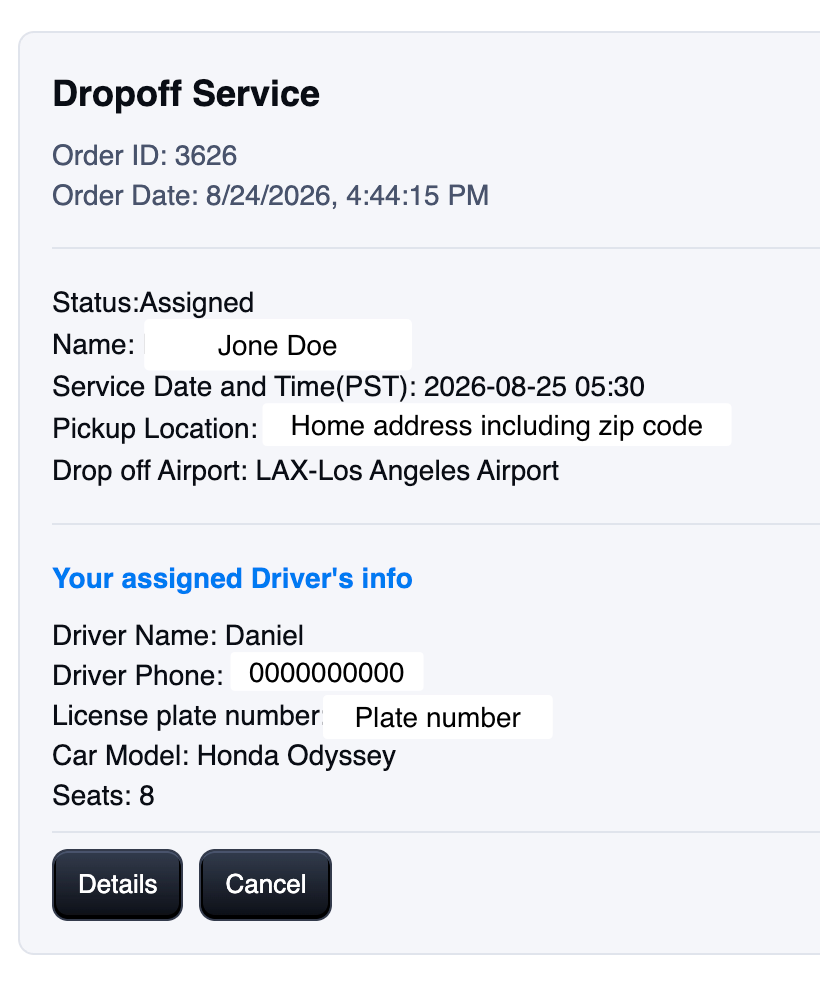
Driver information will be available through the portal. We typically assign a driver between 2:00 p.m. and 5:00 p.m. Pacific Time on the day before your trip. Once a driver has been assigned, their contact details will appear in the My Reservations section and will also be sent to you by email and text message using the contact information provided during booking.
MAKE PAYMENT
Choose a Payment Method After The Trip is Completed
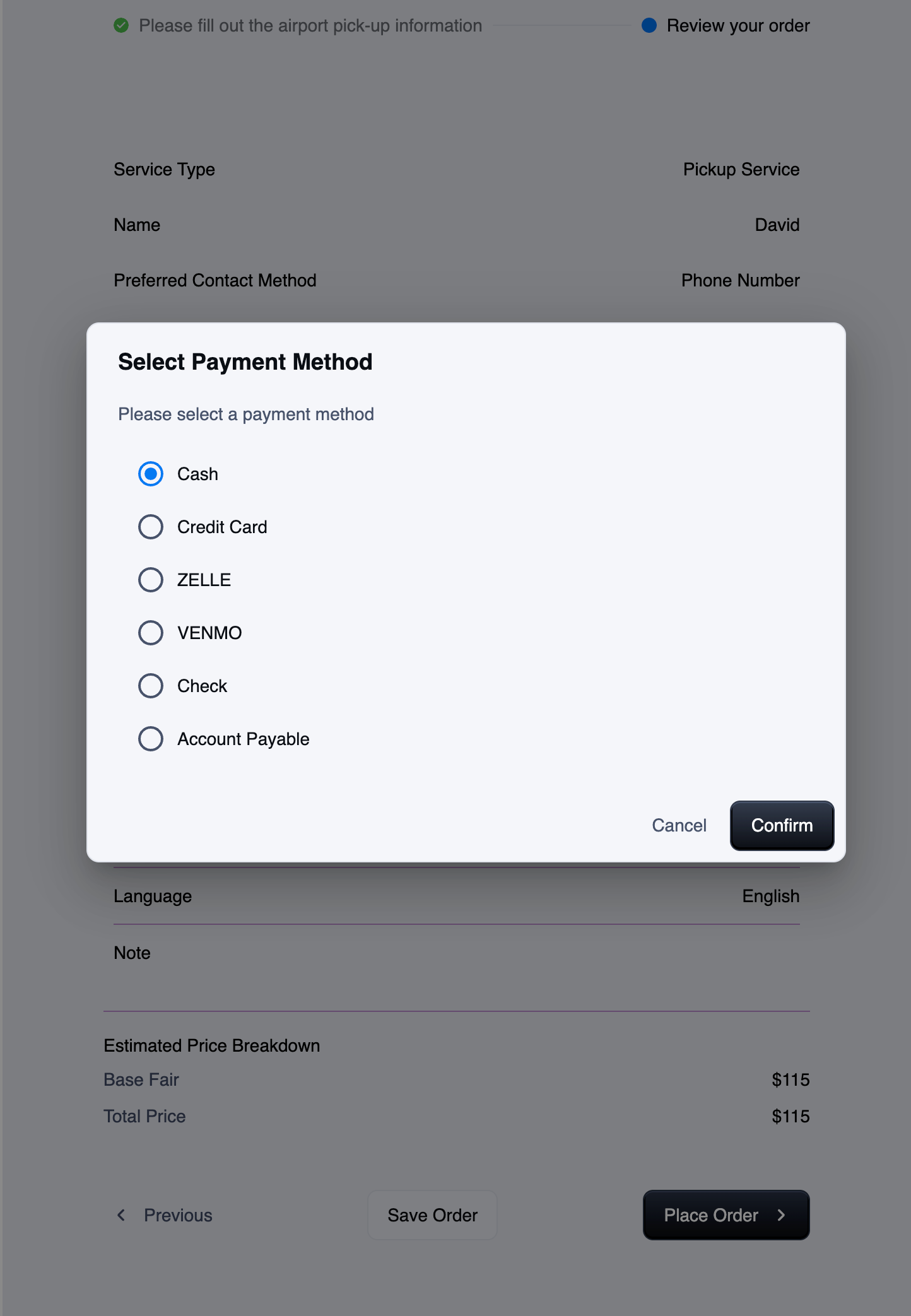
During the booking process, our system will ask you to select a preferred payment method. Please note that this selection is primarily for our internal accounting and record-keeping purposes and does not require you to pay at the time of booking. We accept cash, credit card, Zelle, Venmo, and check. Customers who are eligible for Accounts Payable through one of our long-term corporate partners may simply let the driver or our office know. Payment may be made before your trip or after the service has been completed. Our drivers are authorized to collect payment on behalf of our company, so you may confidently provide payment directly to your driver. Gratuity is not required but is always greatly appreciated as a recognition of your driver’s service.
AFTER SUBMISSION
How Do I Know My Booking Was Submitted?
Your booking is successfully submitted when a confirmation number appears and you receive a confirmation email. Save the confirmation number for future reference or changes.
READY TO GET STARTED?
Make a Reservation Online
You’re all set. Sign in to the Blue Sky online booking system to create and manage your reservation.
NEED HELP?
Having Trouble With Your Booking?
Contact our customer service team and tell us which step you are on. We will walk you through and complete your booking as quickly as possible.
 English
  Chinese